Were the checks done?
Paper checklists, moved to the station screen.
Start-up checks, first-off inspections and weekly lubrication usually live on a clipboard. You find out a check was skipped when something goes wrong, and then you're digging through paper to prove what happened.
BUSROOT turns those checklists into Tasks that operators complete in the Operator Interface. They come due with each job, on a timer or on demand, and every one is recorded as completed, missed or pending.
Why it matters
A check that isn't recorded might as well not have happened.
Due at the right time
Tasks come due with each schedule, on a timer or when the operator starts them, so nobody has to remember.
Missed checks show up
A Task not done by its deadline, or before its job ended, is recorded as missed. It doesn't just disappear.
A full audit trail
Every Task is recorded with the station, who completed it, when, and any note or reading.
What it does
Put the checklist at the station.
Keep the record without the paperwork.
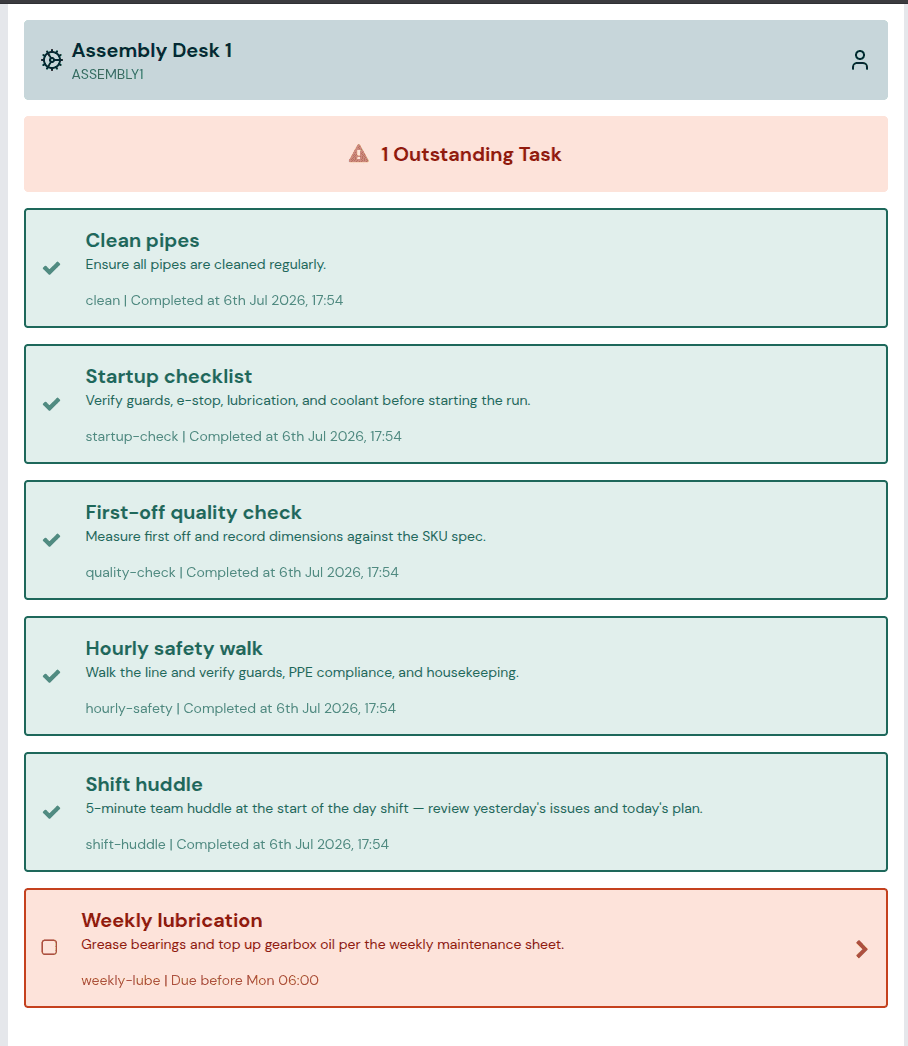
Tasks at the station
Operators see what's outstanding and complete each Task in the Operator Interface.
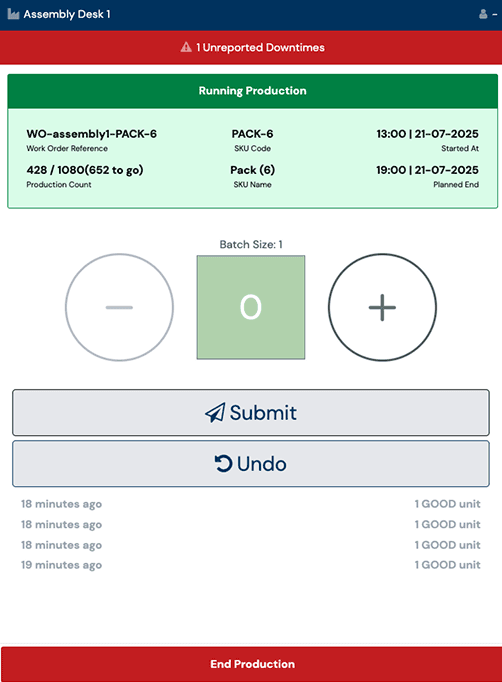
Pending Tasks on the main screen
The production screen shows how many Tasks are pending, so they don't get forgotten mid-shift.
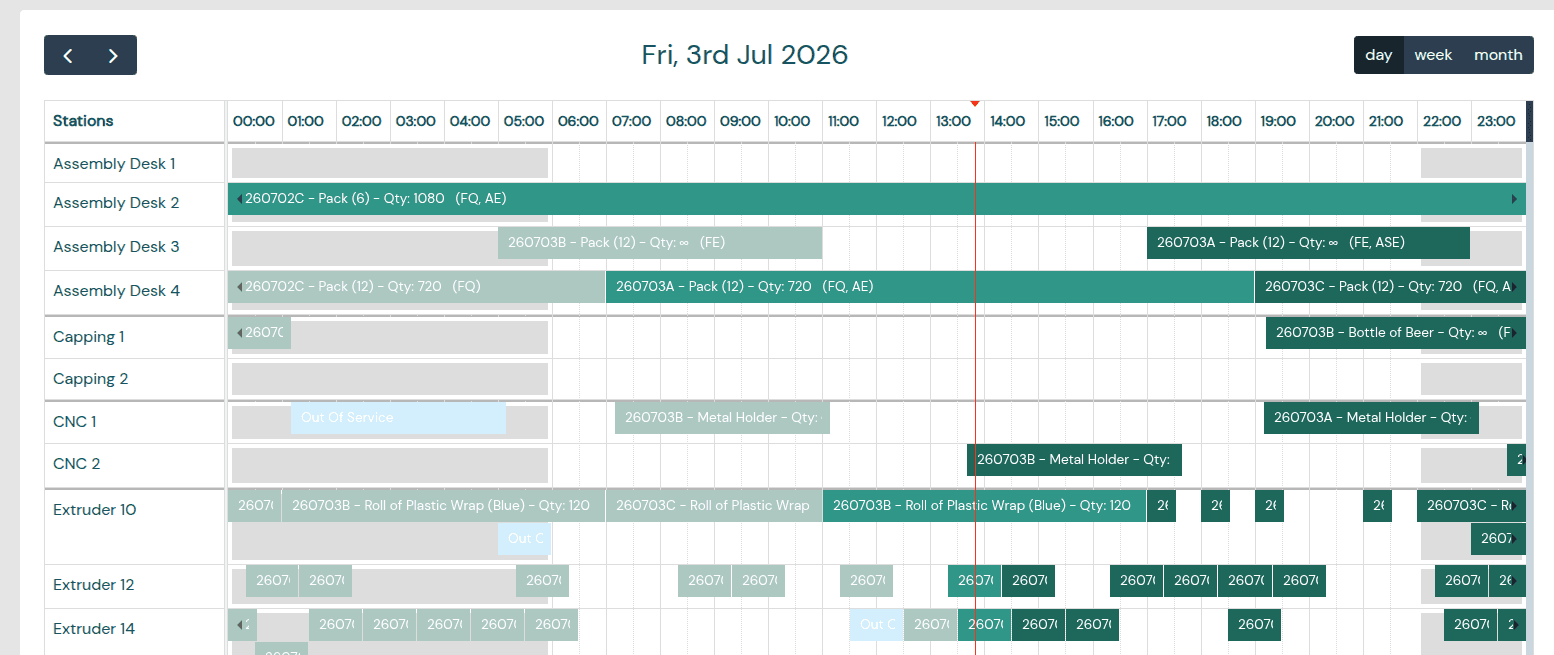
Due with each job
Checks in an Each Schedule list come due when a job starts, and are recorded as missed if the job ends first.
A record of every check
Task History keeps every Task with its status, station, operator and note. Filter by list and date, and export to CSV.
Where you'll see it
The BUSROOT tools that bring Tasks to your team.
FAQs
Everything you need to know to get started.
What kind of checklists can I turn into Tasks?
Anything an operator ticks off at the station: start-up checks, quality inspections, safety walks, lubrication rounds or standard operating procedures. Each checklist becomes a Task list, and you choose which plants, groups or stations it applies to.
When do Tasks come due?
Each list has a trigger. Each Schedule lists come due when a production schedule starts. Timer lists come due on a pattern you set, such as every Friday at 17:00, and you can choose how early they become available. On Demand lists come due when the operator starts them, for example during a breakdown.
What do operators have to do?
They see how many Tasks are pending on the Operator Interface and complete them on its Tasks screen. Where you've asked for a note, they enter the reading or comment before the Task counts as complete.
Do I need to connect my machines?
No. Tasks need no signal from the machine. You need a screen at the station running the Operator Interface, which works in any modern web browser. Lists that come due with each schedule do need production schedules on the station.
What happens if a check isn't done?
It's recorded as missed: when a timer Task passes its deadline, or when the job a Task belongs to ends without it being completed. Task History shows when each Task was missed.
Can I export the records for an audit?
Yes. Task History lists every Task with its status, the station, the operator who completed it and any note. You can filter it by list and date range and export it to CSV.
How do I get Tasks turned on?
Tasks are turned on for each account by our team. Contact support and we'll switch them on. Other systems can also start lists and complete Tasks through the API.
Ready to boost performance and cut waste?
Book your demo and see how BUSROOT unlocks visibility, accountability, and real-time action - without disrupting your operation.